What players say
Sprunki Coloring Book Online provides a calming digital art experience with 12 illustrations and 15 colors. The interface is clean and easy to use, allowing for smooth coloring with adjustable brush sizes. The ability to save and share artwork adds replay value. It is a good choice for unwinding or encouraging creativity without stress.
About this game
Game Introduction
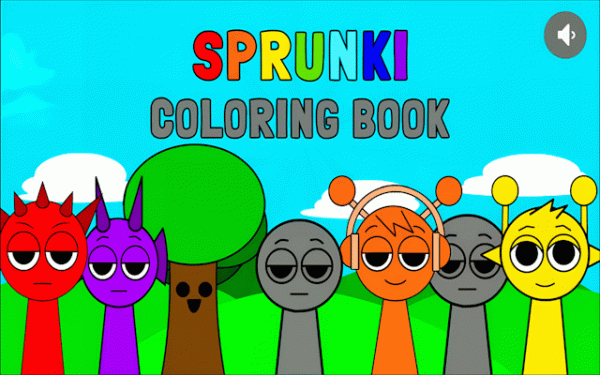
Sprunki Coloring Book Online is a peaceful digital coloring game designed for kids and anyone who enjoys creative expression. The core objective is to color various illustrations using a palette of markers, providing a relaxing and stress-free activity. This game offers a straightforward interface that makes it easy for users of all ages to explore their artistic side. It focuses on relaxation and creative freedom, making it a perfect choice for short breaks or longer sessions of mindful coloring.
How to Play
To play, start by selecting an illustration from the main screen. Then, choose a color from the available markers. Use your mouse or touchscreen to apply color to the drawing. You can adjust the brush size to cover large areas quickly or add fine details. There are no rules or time limits, so you can experiment freely. You can undo any stroke and change colors at any time. When finished, you can save your artwork to your device or share it with others.
Game Features
Sprunki Coloring Book Online includes a variety of unique illustrations to color, a selection of vibrant color markers, and versatile brush tools for different coloring styles. The game features an intuitive interface that is easy for all ages to use. It also includes save and share functionality, allowing you to keep your creations or show them to friends and family. The game is designed to be a calm and engaging experience without any pressure.
Tips for Success
To get the most out of your coloring experience, take your time and enjoy the process. Experiment with different color combinations to see what looks best. Use the undo feature freely to try new ideas without worry. Adjust the brush size to match the area you are coloring—larger brushes for big spaces and smaller ones for details. Most importantly, relax and have fun with your creativity.
Compatibility:
✅ Works on PC & Mobile | Recommended: Chrome / Safari / Edge