What players say
English Training Book Online Game offers a fresh approach to language learning by combining coloring with English letters and sentences. The tools are intuitive and responsive, making it easy for anyone to start. The ability to save creations with the printer feature adds a sense of accomplishment and allows for repeated practice. This game is especially good for visual learners or anyone who finds traditional drills boring. It encourages creativity while reinforcing basic English skills in a low-pressure environment.
About this game
Game Introduction
English Training Book Online Game - Educational Word Game is a creative online activity that blends language learning with artistic expression. Designed for learners of all ages, this game transforms English practice into a relaxing and colorful experience. Instead of traditional drills, players engage with English letters and sentences by coloring them in, making the process both fun and memorable. The core objective is to help players become familiar with English writing through visual and hands-on interaction, offering a refreshing break from conventional study methods.
How to Play
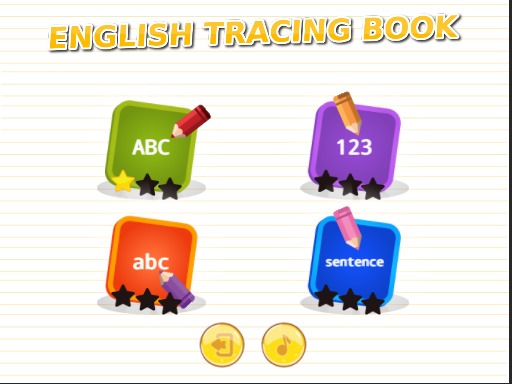
To begin, players choose between practicing English letters or complete sentences from the main menu. Once a selection is made, they use a color brush to paint over the outlines of the text. A panicle tool is also available for different painting effects. The interface is simple and intuitive, allowing players to start immediately without any complicated setup. There are no timers or scores, so learners can progress at their own pace. The goal is to enjoy the creative process while getting comfortable with English writing.
Game Features
The game includes a color brush for smooth painting, a panicle tool for varied textures, and a printer feature that captures finished designs as images. These tools are easy to use and respond quickly to clicks. The clean design minimizes distractions, keeping the focus on learning and creativity. The printer tool allows players to save their artwork, creating a personal gallery that can be reviewed later to reinforce learning.
Tips for Success
To get the most out of this game, experiment with different colors and tools to make each piece unique. Regular practice with both letters and sentences can help reinforce memory. Take your time and enjoy the process without rushing, as there are no time limits. Reviewing saved artwork periodically can also strengthen what you have learned.
Compatibility
This H5 game runs smoothly on: • Desktop computers (Windows / Mac) • Mobile phones (iPhone / Android) • Tablets (iPad / Android) 🌐 Best experienced with Chrome, Safari, or Edge