What players say
WORLDS Builder: Farm & Craft Online Game offers a satisfying mix of world shaping and civilization management. The alchemy system adds depth, while expeditions provide ongoing goals. The community events on Discord enhance replayability. It is a relaxing yet engaging game that rewards experimentation and planning.
About this game
Game Introduction
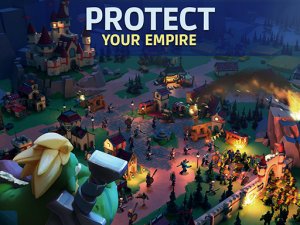
WORLDS Builder: Farm & Craft Online Game is a sandbox simulation game that lets you shape and manage a world from the ground up. Drawing on elements of farming, crafting, and civilization building, you can create terrain, grow crops, construct buildings, and guide a society through different eras. The game combines god-like world manipulation with resource management and multiplayer interaction, offering a creative and strategic experience where your decisions shape the environment and its inhabitants.
How to Play
Players typically start by using their mouse to interact with the world—clicking to shape land, place resources, and build structures. You can manage a farm by planting and harvesting crops, gather materials to craft items, and trade with other players to grow your economy. As you progress, you may experiment with alchemy to create new materials or conduct life experiments to unlock evolutionary paths. The game also involves guiding a civilization through historical ages, from ancient times to a space-faring future, by making strategic choices and completing tasks.
Game Features
Key features include an open sandbox environment where you can modify terrain and ecosystems. A crafting system allows you to create tools and goods from collected resources. Multiplayer functionality enables trading and community events. The game includes idle mechanics, so your civilization can continue to develop even when you are not actively playing. Building elements let you construct and upgrade structures, while management aspects involve resource allocation and economic planning. Expeditions may be available to discover hidden treasures or new lands.
Tips for Success
Focus on balancing resource production with consumption to maintain a stable economy. Experiment with different combinations in alchemy and life experiments to unlock new possibilities. Engage with the multiplayer community to trade items and participate in events, which can provide valuable rewards. Prioritize upgrading key buildings to improve efficiency. Regularly check on your idle progress and adjust strategies as your civilization evolves through different eras.