What players say
Creative Canvas is a wonderful free online drawing game for kids. Its simple interface and no-registration policy make it incredibly accessible. The variety of tools, including pencils, brushes, and shapes, allows for endless creativity. It is a safe, ad-free environment that encourages children to express themselves. Perfect for quiet playtime or a fun family activity.
About this game
Game Introduction
Creative Canvas is a free online drawing game designed for children and families. The core objective is to provide a simple and safe digital art platform where users can draw, color, and express themselves using a variety of basic art tools. What makes this game unique is its focus on ease of use and a clutter-free environment, allowing young artists to jump right in without needing to create an account or download any software. It is a casual, single-player experience that runs directly in the browser. The game is built around the idea of creative freedom, offering a space where kids can explore their imagination without distractions. The interface is straightforward, making it accessible even for very young children. The game does not require any personal information, ensuring a safe experience for all users. It is a great way for children to develop fine motor skills and express their creativity in a digital format. The game is available on any device with a modern web browser, making it easy to access from home or school. The focus is on the joy of creating, with no pressure to perform or compete. This makes it an ideal choice for quiet playtime or as a relaxing activity after school.
How to Play
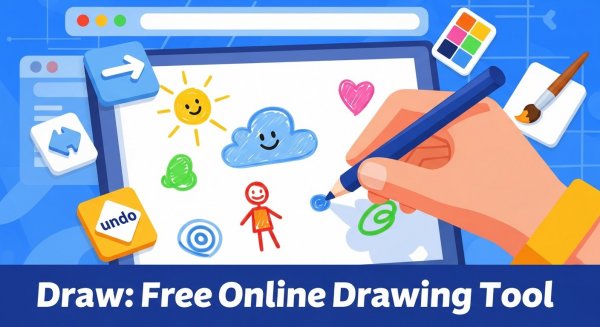
Players typically start by selecting a drawing tool from a toolbar, such as a pencil, brush, marker, or eraser. They can then adjust the size and color of the tool using simple controls like sliders and a color picker. To draw, players click and drag on the canvas. For adding shapes, they click and drag to define the shape's size. To add text, they select the text tool, click on the canvas, type their message, and confirm it. The game includes undo and redo buttons to correct mistakes, and a clear function to start over. Finished artwork can be saved as an image file using the browser's save options. The controls are designed to be intuitive, so even first-time users can start creating immediately. The game supports both mouse and touch input, making it suitable for tablets and computers.
Game Features
Key features include a free, family-friendly drawing tool with versatile options. The interface is simple and easy to navigate. No registration or personal information is required. The game works directly in the browser without any downloads. It supports undo, redo, and clear functions. Drawings can be saved as image files. The game provides a calm, ad-free space for creative play. The tools are designed to be responsive and easy to use, allowing for smooth drawing and coloring. The color picker offers a wide range of colors to choose from. The shape tools help children create more structured artwork. The game is optimized for performance, ensuring a lag-free experience even on older devices.
Tips for Success
To get the most out of this drawing game, encourage children to experiment with different tools and colors to discover their favorites. Practice using the undo and redo functions to learn from mistakes without frustration. For more detailed artwork, try using the shape tools to create a base outline before adding finer details with the pencil or brush. Saving work regularly is a good habit to preserve progress. Taking breaks can help maintain focus and creativity.