What players say
Draw: Free Online Drawing Game for Kids provides a clean, distraction-free environment for digital art. The tool selection is straightforward, and the color picker is easy to use. Children can experiment with different brushes, markers, and shapes. The undo and redo functions help them correct mistakes without frustration. Saving artwork is simple. This game is ideal for short creative sessions and helps build fine motor skills. It offers good replayability as kids can create new pictures each time.
About this game
Game Introduction
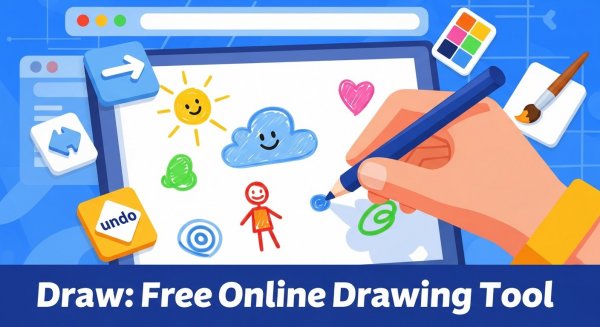
Draw: Free Online Drawing Game for Kids is a simple and safe digital art platform designed for children and families. The core objective is to provide a creative space where users can draw, color, and express themselves using a variety of basic art tools. What makes this game unique is its focus on ease of use and a clutter-free environment, allowing young artists to jump right in without needing to create an account or download any software. It is a casual, single-player experience that runs directly in the browser.
How to Play
Players typically start by selecting a drawing tool from a toolbar, such as a pencil, brush, marker, or eraser. They can then adjust the size and color of the tool using simple controls like sliders and a color picker. To draw, players click and drag on the canvas. For adding shapes, they click and drag to define the shape's size. To add text, they select the text tool, click on the canvas, type their message, and confirm it. The game includes undo and redo buttons to correct mistakes, and a clear function to start over. Finished artwork can be saved as an image file using the browser's save options.
Game Features
Key features include a free, family-friendly drawing tool with versatile options. The interface is simple and easy to navigate. No registration or personal information is required. The game works directly in the browser without any downloads. It supports undo, redo, and clear functions. Drawings can be saved as image files. The game provides a calm, ad-free space for creative play.
Tips for Success
To get the most out of this drawing game, encourage children to experiment with different tools and colors to discover their favorites. Practice using the undo and redo functions to learn from mistakes without frustration. For more detailed artwork, try using the shape tools to create a base outline before adding finer details with the pencil or brush. Saving work regularly is a good habit to preserve progress.
Compatibility
━━━━━━━━━━━━━━━━━━━━━━━━━━━━━━━━━ 📱 Play on Any Device | Chrome / Safari / Edge Recommended ━━━━━━━━━━━━━━━━━━━━━━━━━━━━━━━━━